Shopping cart
Your cart empty!

Your cart empty!

Join 10k+ people to get notified about new posts, news and tips.
Do not worry we don't spam!
Terms of use dolor sit amet consectetur, adipisicing elit. Recusandae provident ullam aperiam quo ad non corrupti sit vel quam repellat ipsa quod sed, repellendus adipisci, ducimus ea modi odio assumenda.
Lorem ipsum dolor sit amet consectetur adipisicing elit. Sequi, cum esse possimus officiis amet ea voluptatibus libero! Dolorum assumenda esse, deserunt ipsum ad iusto! Praesentium error nobis tenetur at, quis nostrum facere excepturi architecto totam.
Lorem ipsum dolor sit amet consectetur adipisicing elit. Inventore, soluta alias eaque modi ipsum sint iusto fugiat vero velit rerum.
Sequi, cum esse possimus officiis amet ea voluptatibus libero! Dolorum assumenda esse, deserunt ipsum ad iusto! Praesentium error nobis tenetur at, quis nostrum facere excepturi architecto totam.
Lorem ipsum dolor sit amet consectetur adipisicing elit. Inventore, soluta alias eaque modi ipsum sint iusto fugiat vero velit rerum.
Dolor sit amet consectetur adipisicing elit. Sequi, cum esse possimus officiis amet ea voluptatibus libero! Dolorum assumenda esse, deserunt ipsum ad iusto! Praesentium error nobis tenetur at, quis nostrum facere excepturi architecto totam.
Lorem ipsum dolor sit amet consectetur adipisicing elit. Inventore, soluta alias eaque modi ipsum sint iusto fugiat vero velit rerum.
Sit amet consectetur adipisicing elit. Sequi, cum esse possimus officiis amet ea voluptatibus libero! Dolorum assumenda esse, deserunt ipsum ad iusto! Praesentium error nobis tenetur at, quis nostrum facere excepturi architecto totam.
Lorem ipsum dolor sit amet consectetur adipisicing elit. Inventore, soluta alias eaque modi ipsum sint iusto fugiat vero velit rerum.
Do you agree to our terms? Sign up

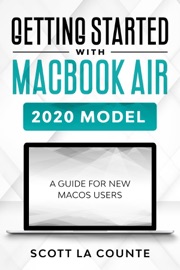
★★★ Switching from Windows to Mac? Let's make this as easy as possible! ★★★
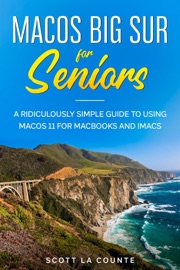
Big Sur adds some powerful new features to macOS, which is fantastic news...if you know how to use them.
If you're like many adults, however, then your first computer was probably a Windows computer—or maybe it only had a command interface. For most of us, macOS is something a little new.
MacOS isn't complicated but switching from another operating system can be a little confusing at first. This guide is intended to help you make the switch.
In addition to showing you how exactly it works, it walks you through how you can still do all those Windows things you have grown to love.
This book is intended for people who want to get started quickly with the OS. For that reason, it's not as comprehensive as other guides. It covers the most popular features, but not how to do configurations you probably have never heard of and will never want to do.
I purposely have done my best to make this handbook a little more casual and fun than what you expect from most macOS manuals. MacOS is a fun operating system, and any guide you read should be an equally fun read.
Some of the covered features include:
What's new to macOS Big Sur How you do all those Windows "things" on a Mac Apple Services (Apple Music, Apple News, iCloud, Apple Card, Apple Arcade, Apple TV+)Using Siri How to find things / how to organize things to make them easy to find Setting up Internet and Email Using Sidecar Using Control CenterParental Controls Downloading / Updating appsOrganizing photos Using SafariProtecting your privacyManaging your passwordsUsing MapsMaking phone callsSending, replying, and pinning messages Multitasking And much, much more!
Are you ready to start enjoying the new macOS? Then let's get started!
Note: This book is based off of MacOS Big Sur: Getting Started with MacOS 11 for MacBooks and iMacs but has expanded discussion of accessibility features. It is not endorsed by Apple, Inc. and should be considered unofficial.





















Comments